CASE STUDY

PayBridge

SaaS Admin Dashboard

A multi-role cash advance platform built for three types of users — Admin, Company, and Employee — with real-time loan tracking, payout management, and financial reporting in one unified system.

Dashboard SaaS Fintech Web App
pbscc

Project Overview

PayBridge is a web-based SaaS platform that streamlines employee cash advance operations across three user roles. The Admin oversees all companies and system-wide financial activity. The Company manages its own employees, loan requests, payouts, and billings. The Employee tracks their own cash loan status and repayment history — all from one clean, consistent interface.

🕒 Timeline
2 Weeks

👤 Role
UI/UX Designer

🛠 Tools
Figma, FigJam, Figmake and Magic Patterns

AI-Assisted 
Stitch, Chatgpt, Claude, Gemini, Magic-patterns and figmake

▣ Platform
Web Application

The Problem

Managing employee cash advances without a centralized system creates serious operational gaps — missed approvals, delayed payouts, no repayment visibility, and zero financial reporting across companies.

  • No single dashboard for tracking loan requests end to end
  • No separation between admin, company, and employee views
  • Manual processes causing delays, errors, and missed payments
  • No visibility into repayments, billing cycles, and balances

My Role

I designed the complete UI/UX for PayBridge — three user roles, every screen, a full design system, and a Figma file ready for developer handoff.

  • UX Research and Flow Mapping
  • Information Architecture
  • Wireframing
  • High-fidelity UI Design
  • Design System and Component Library
  • Developer Handoff
  •  

My Design Process

01

loupe

Discover

Mapped the three user roles and every action each role needed to perform — Admin, Company, and Employee.

02

define

Define

Identified repeating UI patterns across the platform and set the design direction: clean, structured, and trustworthy.

03

curve

Design

Built wireframes first to lock in layout logic, then moved to high-fidelity UI using a unified grid, spacing scale, and component library.

04

selective

Refine

Reviewed every screen across all three roles for visual consistency — spacing, color, typography, and component behavior.

05

timing

Deliver

Organized the Figma file by user role with named components and exportable assets ready for development.

Research Insights

Workflow analysis revealed four key usability needs that shaped the PayBridge experience:

Admins need one source of truth — A single dashboard showing all companies, loan statuses, repayment volumes, and accounting activity — without switching between tools.

Financial data must be readable in seconds — Color-coded status badges, clear hierarchy, and consistent table layouts reduce the time it takes to understand a record and act on it.

Workflows must feel guided — Every action in a financial tool — approving a loan, releasing a payout, managing a company — must have a clear starting point and a clear result. Ambiguity causes errors.


Destructive actions need protection — Rejecting a loan or removing an employee must never happen accidentally. The interface must make intentional actions easy and accidental ones impossible.

User Flow

A simplified view of the core cash advance journey, from sign-in to approval, disbursement, and reporting.

Login

Dashboard

Cash Advance Request

Approval Queue

For Releasing

Active Loans

Repayment Tracking

Reports

Accounting

The Solution

dashoboard pb

Overview Dashboard

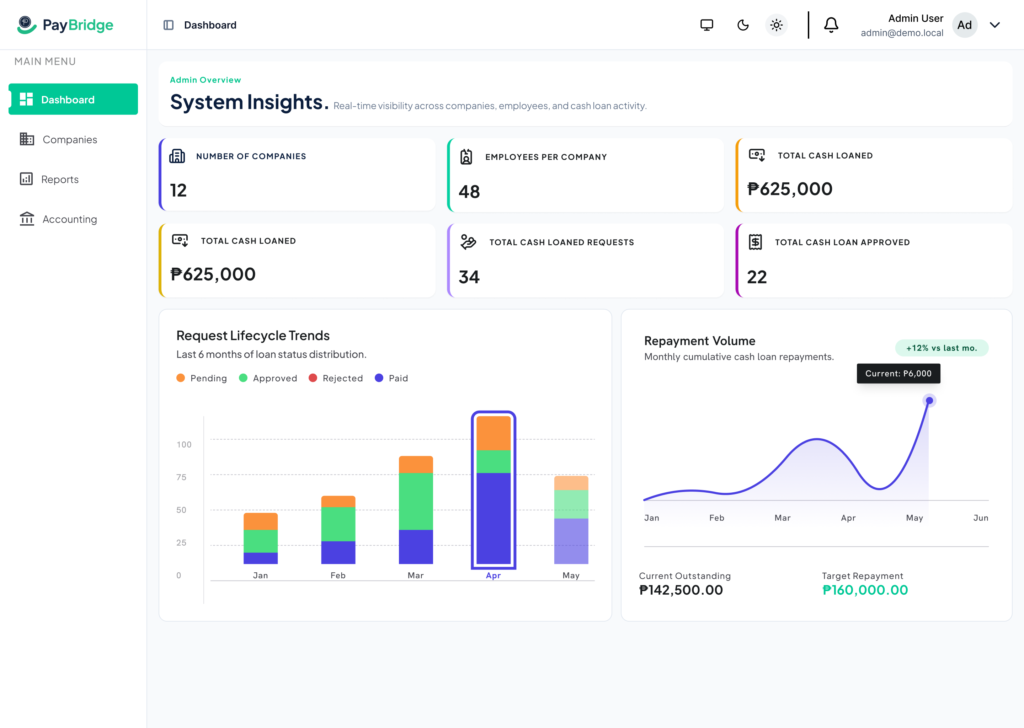
A dashboard providing real-time company insights with KPI cards for companies, employees, loan amounts, requests, and approvals. It also includes charts for request lifecycle trends and monthly repayment performance with outstanding and target figures.

companies pb

Companies

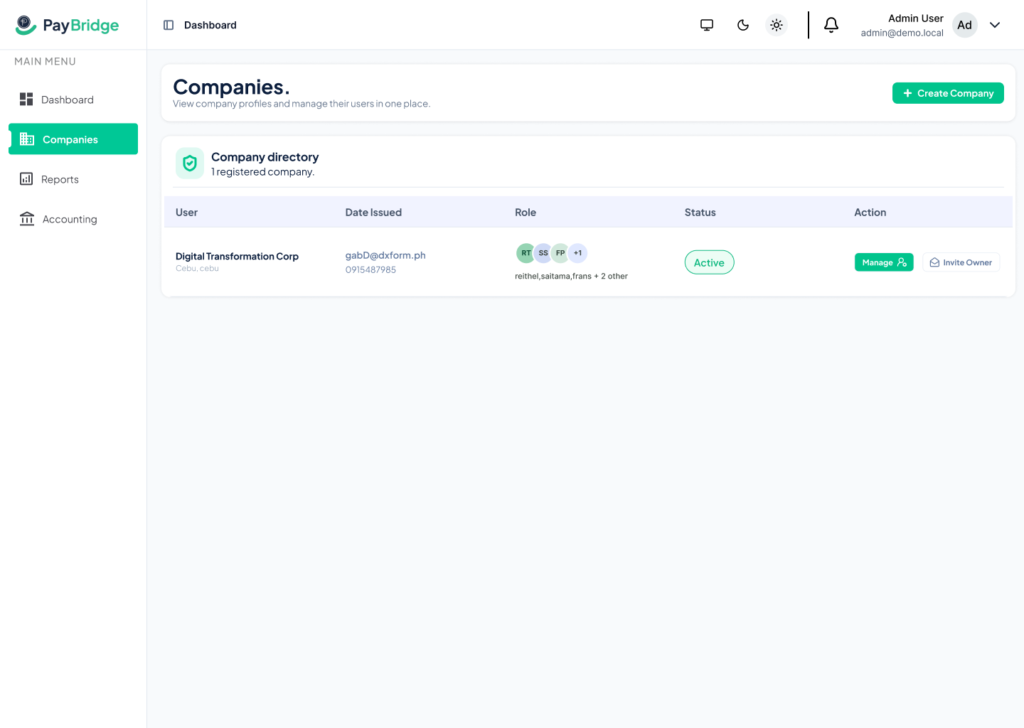
A company directory showing all registered companies with their contact details, assigned owner avatars, active status badges, and Manage and Invite Owner action buttons.

loan requestr pb

Loan Requests​

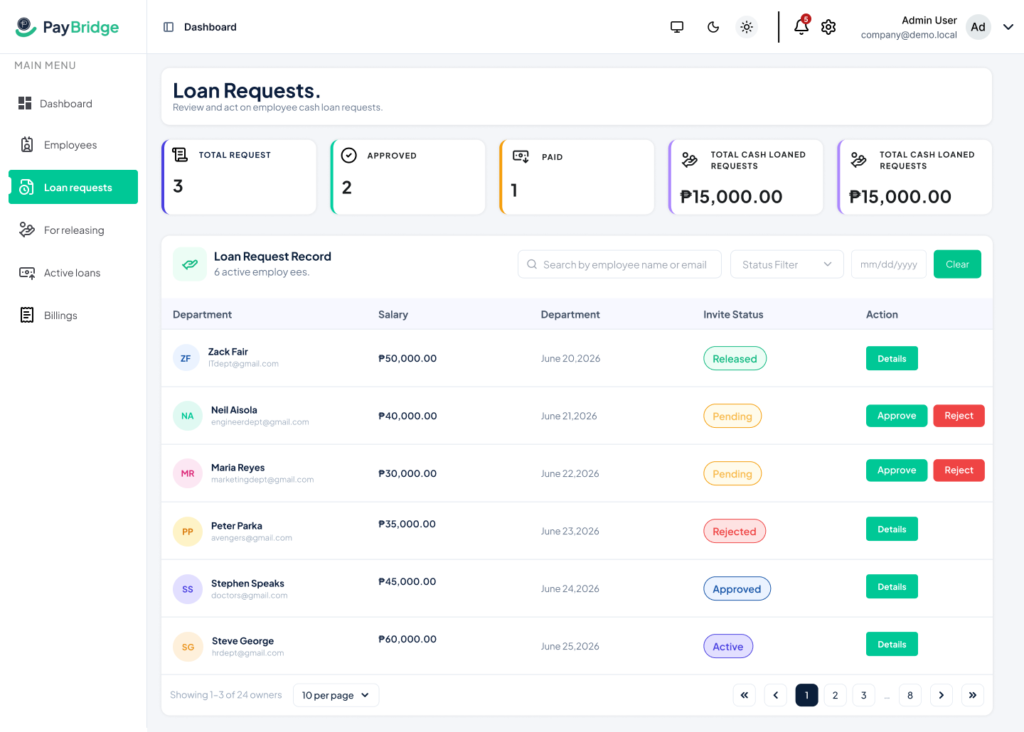
Company admins review employee cash advance requests from a filterable table showing department, salary, submission date, and current status — with Approve and Reject action buttons for Pending requests and a Details button for Released and Active records.

for releasing pb

For Releasing​

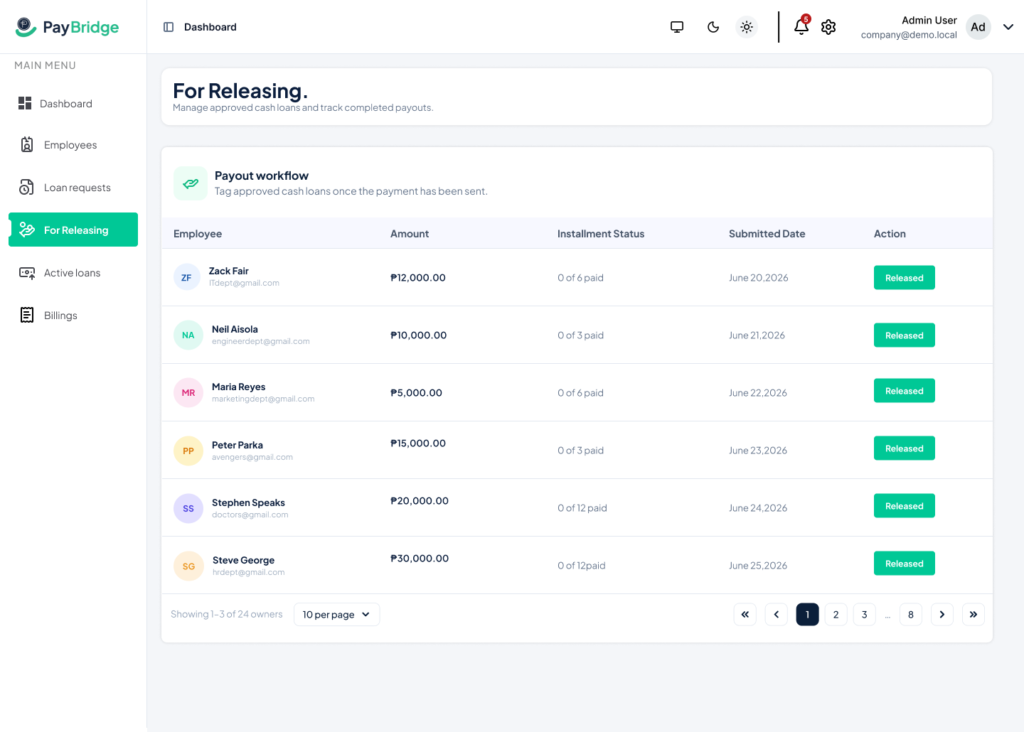
Approved loans ready to be disbursed — showing employee name, amount, installment plan (0 of N paid), submitted date, and a Release action button.

active loans pb

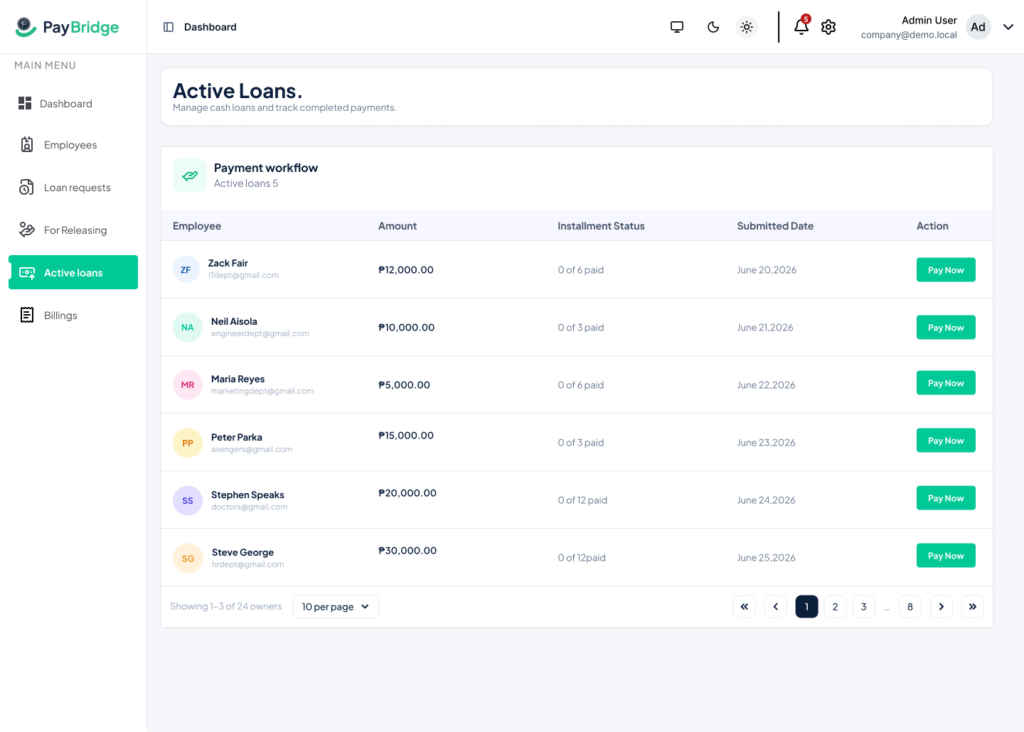
Active Loans

Tracks all currently active cash loans per employee with installment progress, remaining balance, and payment history access.

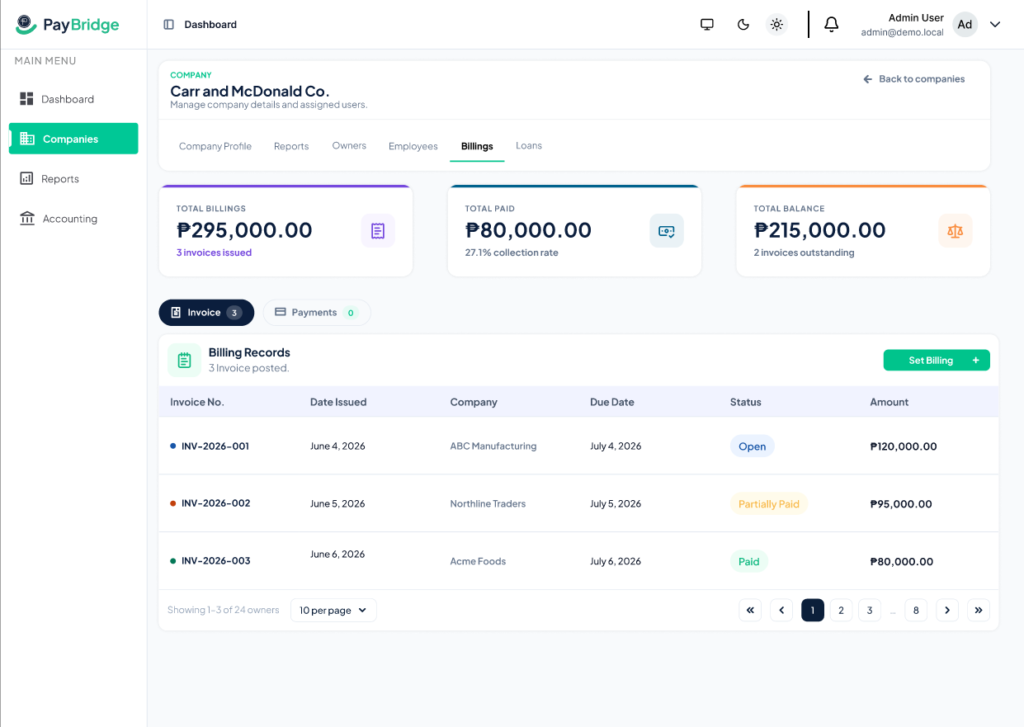
billings

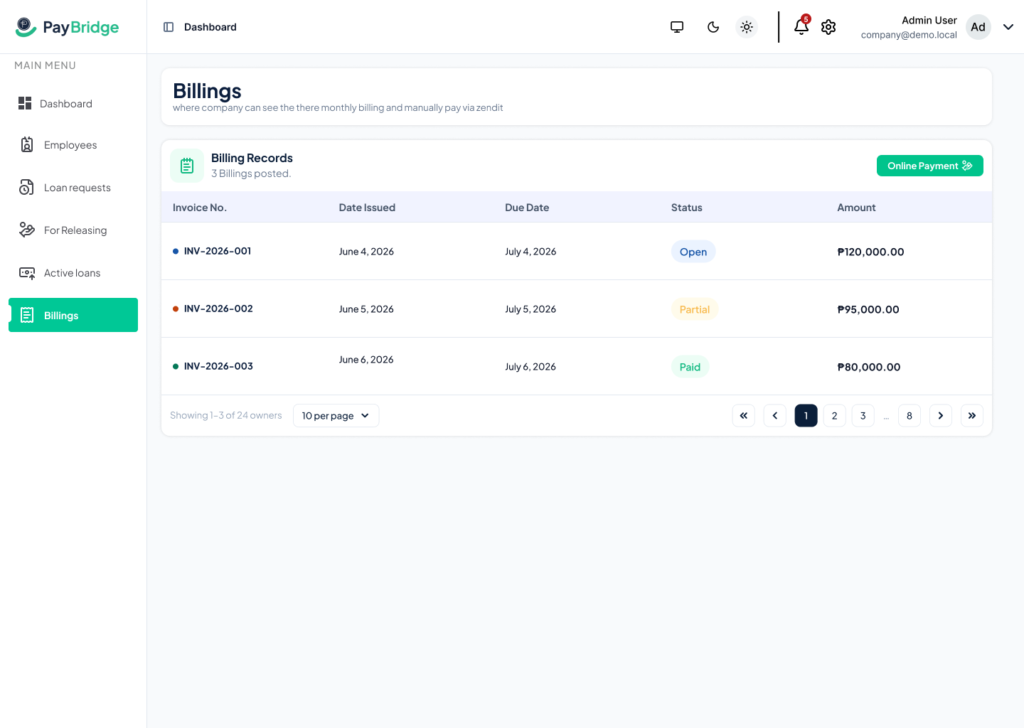
Billings

Tracks billing activity per company with invoice records, payment status, and outstanding balance visibility.

reports pb

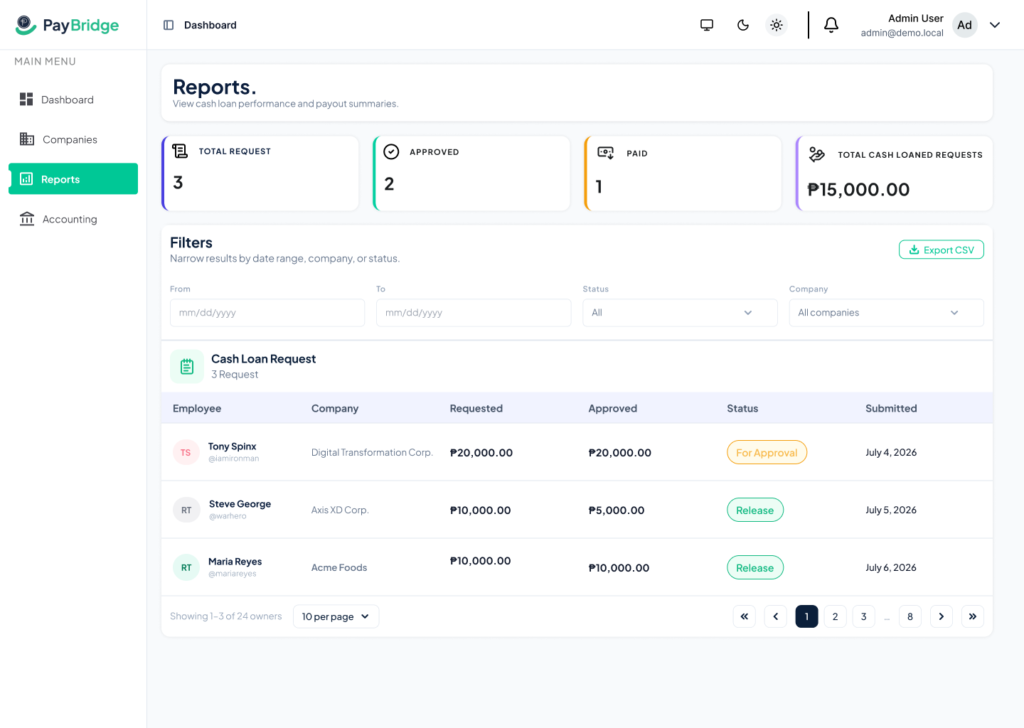
Reports

Admin loan dashboard with filters, performance summary cards, and a detailed loan request table showing employee, company, amount, status, and submission details.

accounting pb

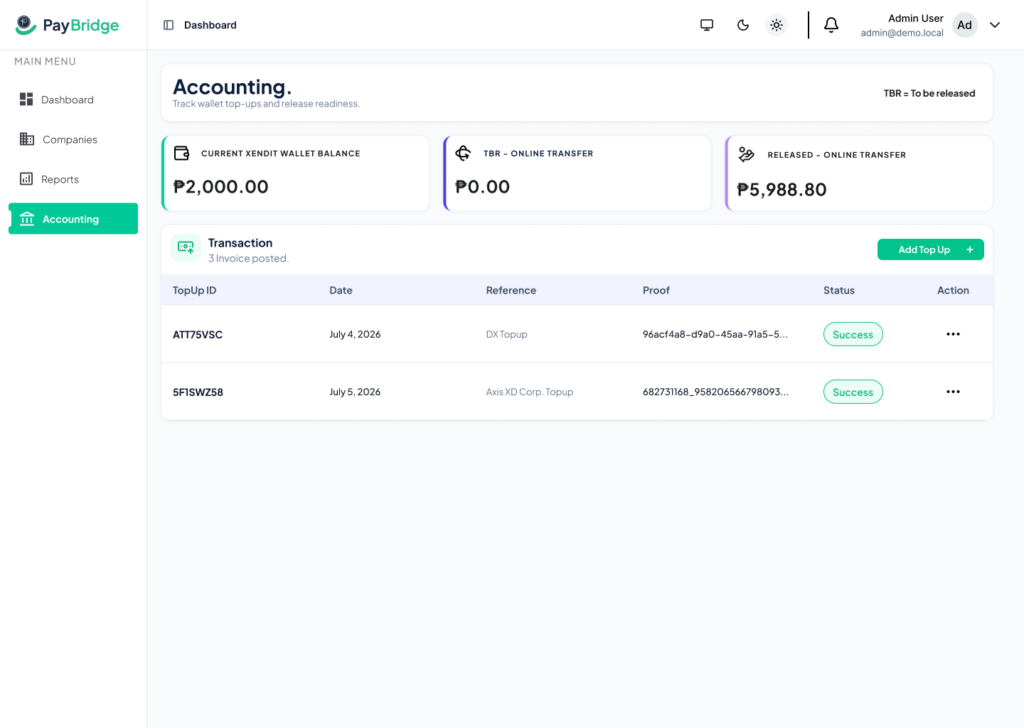
Accounting​

Tracks the Xendit wallet balance, To Be Released amounts, and Released Online Transfer totals — with a transaction table showing TopUp ID, Date, Reference, Proof, Status, and Action columns.

cash loan pb

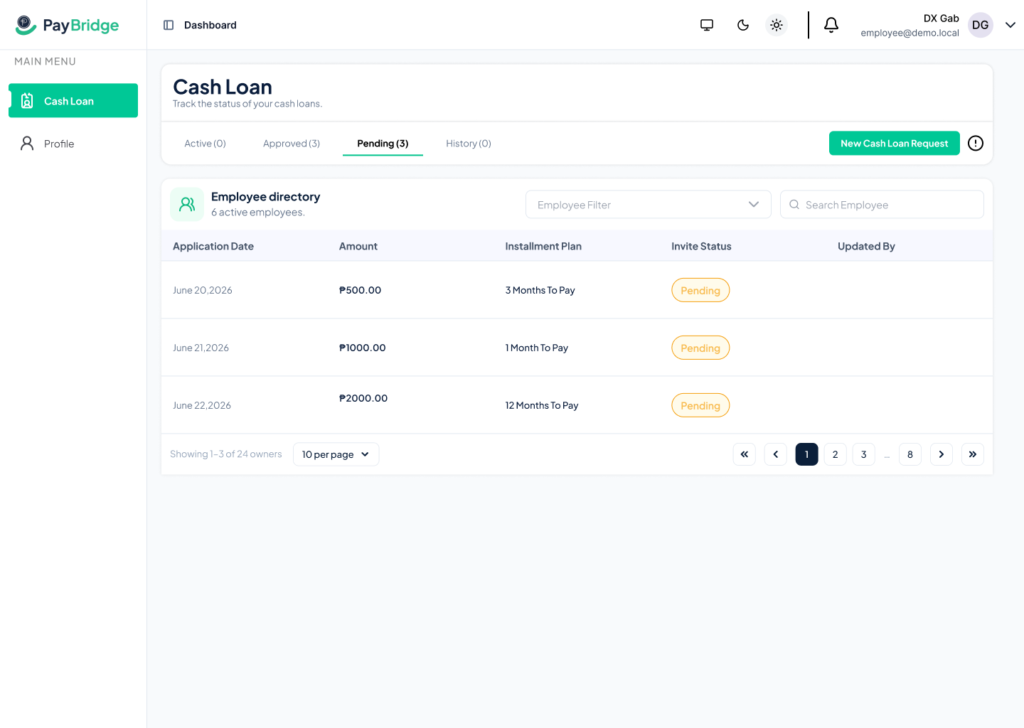
Employee — Cash Loan

Employee loan dashboard with Active, Approved, Pending, and History tabs, showing loan details and a button to submit new cash loan requests.

Design System

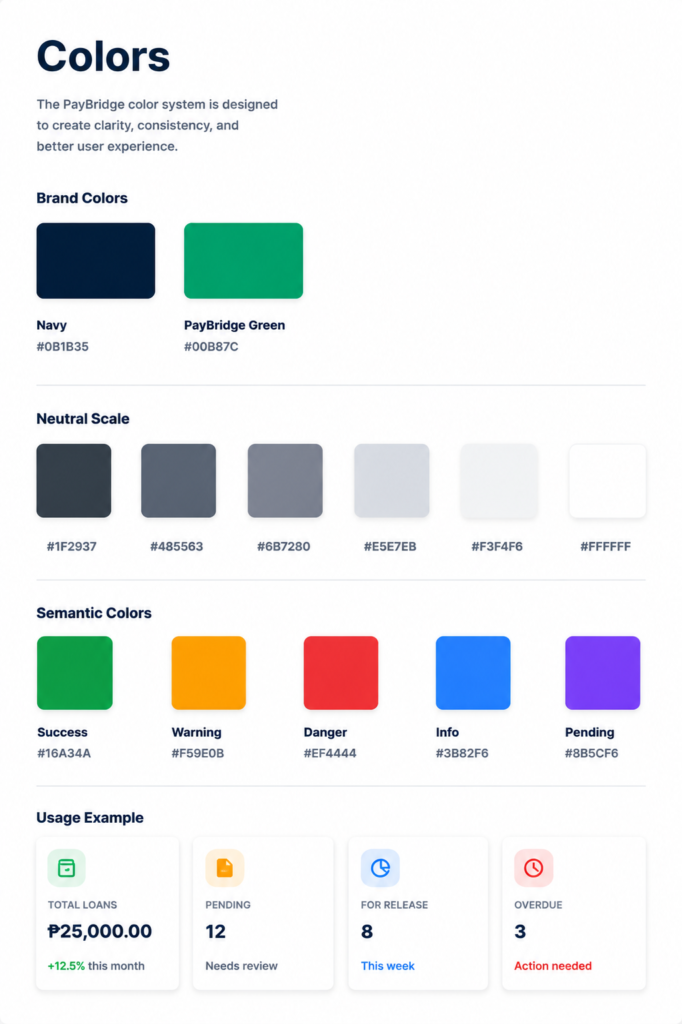
paybridge colors
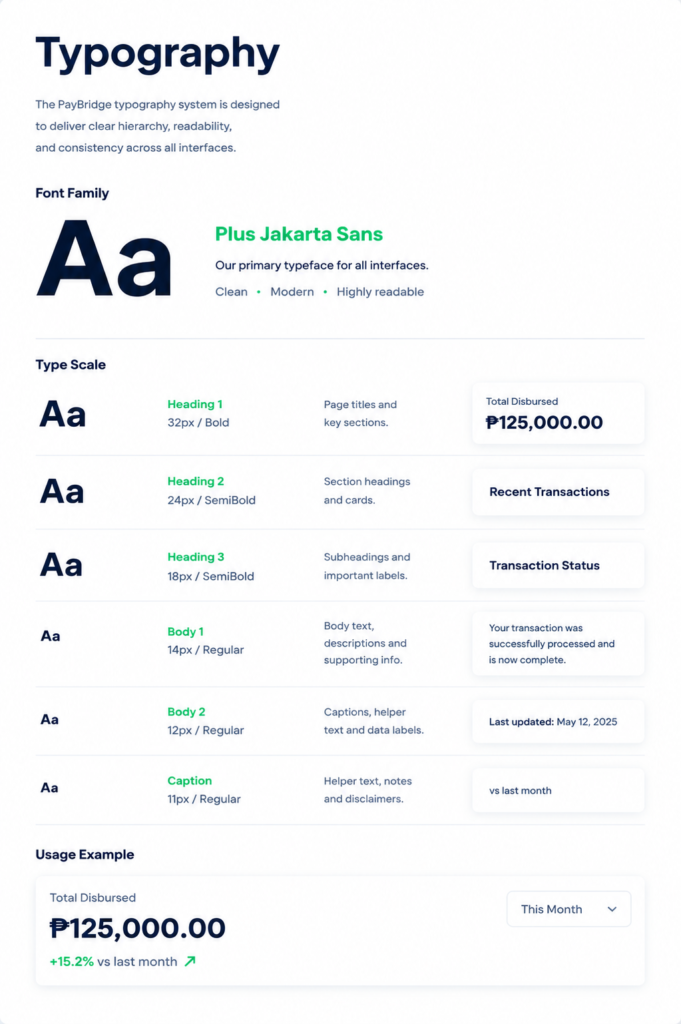
paybridge typography
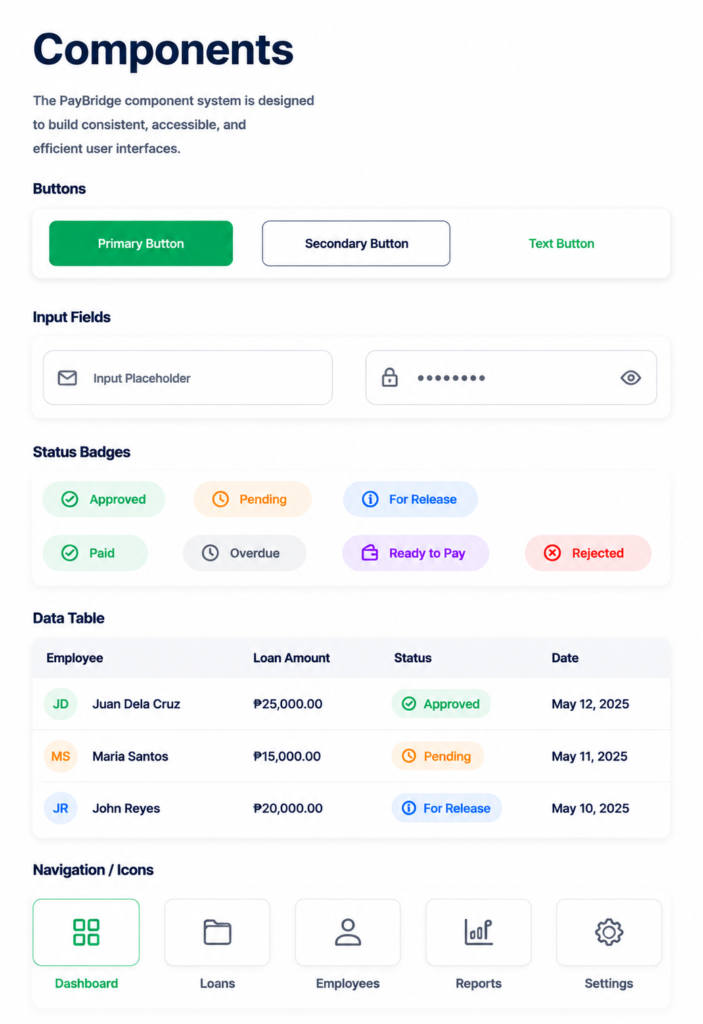
paybridge components
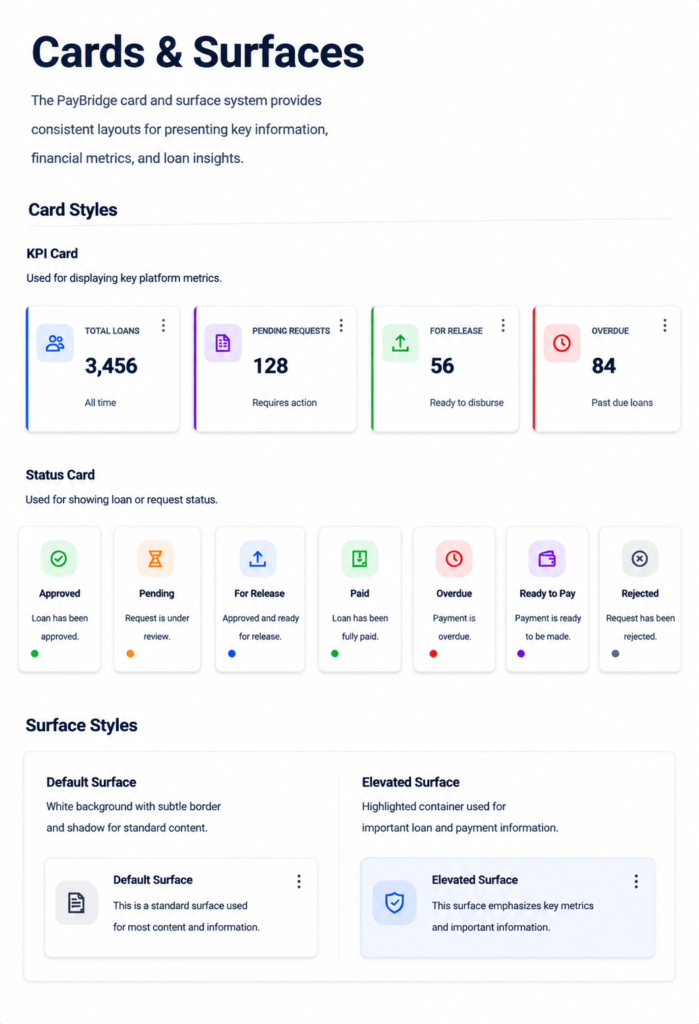
paybridge cards and surfaces

Contact

Have a project in mind? I’d love to hear your ideas and create something meaningful together. Let’s bring your vision to life.

This field is required.